Event-Based Push Automations & Drip Triggers
📁 User Guides
🕐 Updated 55 minutes ago
Event-Based Push Automations & Drip Triggers
Automated push sequences allow you to engage subscribers automatically based on specific user actions, milestones, or inactivity. Unlike manual broadcast campaigns, event-driven automations operate 24/7 in the background, delivering timely, personalized notifications when subscriber intent is highest.
Automated push campaigns achieve up to 4x higher Click-Through Rates (CTR) than standard one-off broadcasts. HyperPush X supports welcome drip sequences, automated post publishing, WooCommerce abandoned cart reminders, and subscriber win-back triggers.
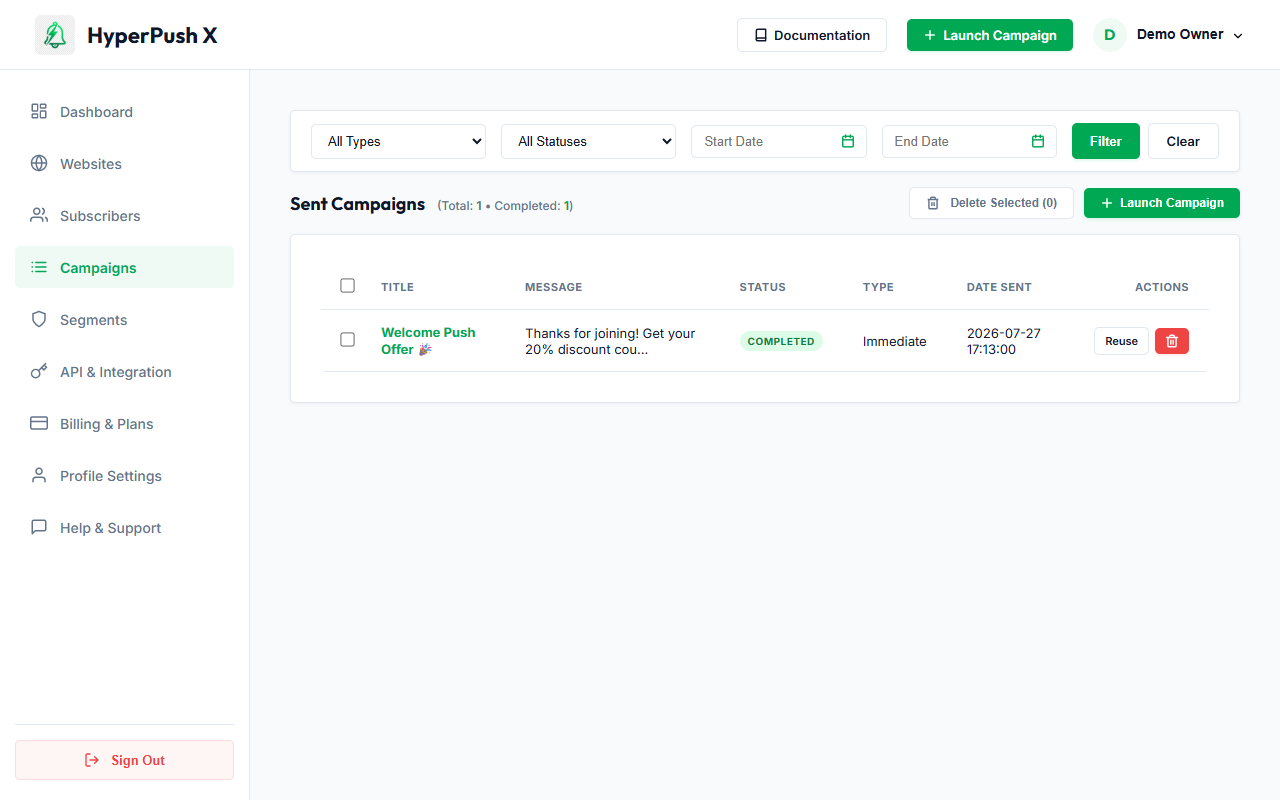
📷 Live System Interface: Automation Performance & Campaign Logs
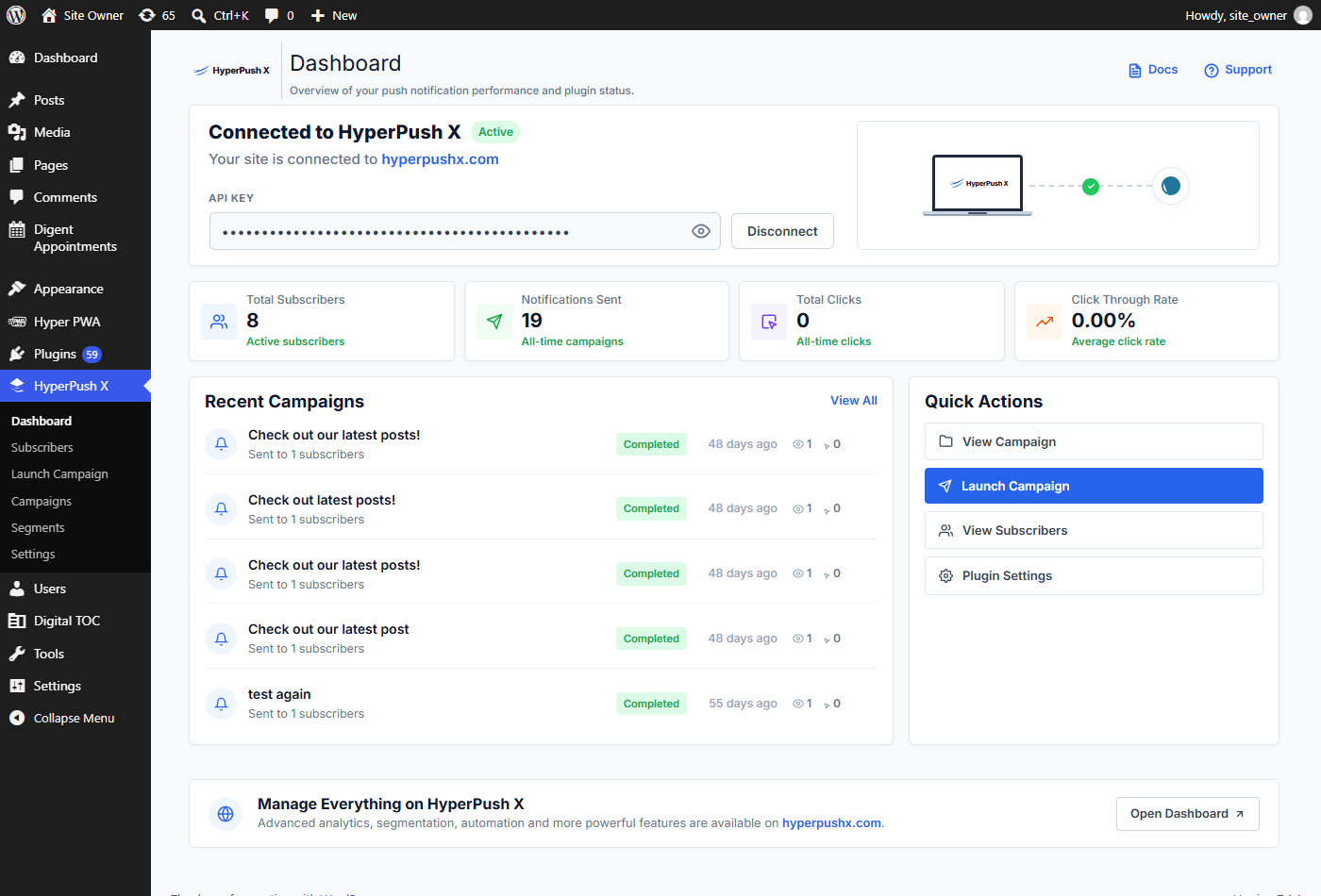
📷 Live System Interface: WordPress Auto-Send & Automation Controls
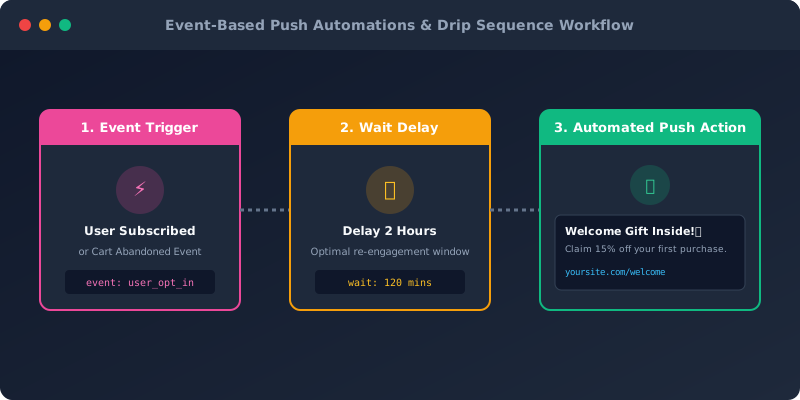
📐 Event Drip Sequence Architecture
⚡ Core Automation Workflows & Trigger Types
HyperPush X supports four primary automated push workflows:
1. Automated Welcome Push Sequences (Subscriber Opt-In)
- Trigger: Activates immediately when a website visitor taps Allow on your opt-in prompt.
- Purpose: Greet new subscribers while your brand is top-of-mind, deliver welcome discounts, or guide them to key landing pages.
- Recommended Setup:
- Time Delay:
Immediate or 5 Minutes.
- Headline: "Welcome to HyperPush X! 🎉"
- Message Copy: "Thank you for subscribing! Use promo code WELCOME15 for 15% off your first order."
- Destination URL:
https://yoursite.com/welcome-offer
2. WordPress Auto-Send on Post Publish (Automated Content Broadcasts)
- Trigger: Activates automatically whenever an author publishes a new blog post or WooCommerce product on WordPress.
- Purpose: Eliminate manual effort by automatically notifying your subscribers about new content the moment it goes live.
- How to Enable:
- Open your WordPress dashboard.
- Go to HyperPush X -> Settings -> General Settings.
- Toggle Auto-Send on Post Publish to
Active.
- Select allowed Post Types (e.g., Posts, Pages, Products).
- Click Save Settings. HyperPush X automatically formats the post title, excerpt, featured image, and permalink into a push notification!
3. E-Commerce Abandoned Cart Recovery (WooCommerce Push Alerts)
- Trigger: Activates when a shopper adds products to their cart but leaves your site without completing checkout.
- Purpose: Recover lost sales without relying on email open rates.
- Recommended Multi-Step Drip Sequence:
- Step 1 (Wait 30 Minutes): "Did you leave something behind? 🛒 Your cart is saved and ready for checkout!"
- Step 2 (Wait 24 Hours): "Items in your cart are selling fast! Complete your purchase today for free shipping."
4. Subscriber Win-Back Drip (14 to 30 Days Inactive)
- Trigger: Activates when a subscriber has not clicked a push notification or visited your site in 14 or 30 days.
- Purpose: Re-engage cold subscribers before their push token expires or becomes inactive.
- Recommended Setup:
- Time Delay:
14 Days Inactive.
- Headline: "We miss you! 🌟 Catch up on trending stories."
- Message Copy: "Check out what's new on our site this week!"
🛠️ Step-by-Step: Setting Up an Event Automation
If you use the HyperPush X Web Console (/campaigns), follow these steps to configure an automated drip sequence:
- Navigate to Campaigns -> Launch Campaign (
/campaigns/launch).
- Select your Target Website.
- Under Delivery Timing, select Event Automation (or choose your event trigger).
- Set your Trigger Condition (
Subscriber Opt-In, Abandoned Cart, or Inactive 14 Days).
- Set your Time Delay (e.g., Wait 15 Minutes, Wait 2 Hours, or Wait 1 Day).
- Enter your headline, message body, rich media banner image, and landing page URL.
- Click Activate Sequence.
📈 Auditing Automation Performance
All automated push dispatches are logged in real-time under Campaign Logs (/campaigns):
- Sent Payload Auditing: Track every automated dispatch triggered by user events.
- Click-Through Rate Tracking: Monitor individual drip sequence CTR % to identify high-performing headlines.
- Pause & Resume Controls: Pause or edit active drip triggers at any time without disrupting existing subscriber tokens.
💡 Automation Best Practices for High Engagement
[!TIP]
1. Combine Welcome Push with Instant Incentives
Welcome push notifications sent within 5 minutes of opt-in achieve up to 45% CTR when paired with a discount code or free download link.
[!IMPORTANT]
2. Set Quiet Hours for Automated Drips
HyperPush X automatically respects subscriber timezones. Automated drips scheduled for "Wait 8 Hours" will automatically hold delivery until morning (8:00 AM local subscriber time) if the delay falls during late night quiet hours.
[!NOTE]
3. Monitor Un-subscription Rates
If an automated sequence causes a surge in subscriber opt-outs, increase the delay step (e.g. from 10 minutes to 1 hour) or soften the call-to-action copy.
 HyperPush X Docs